

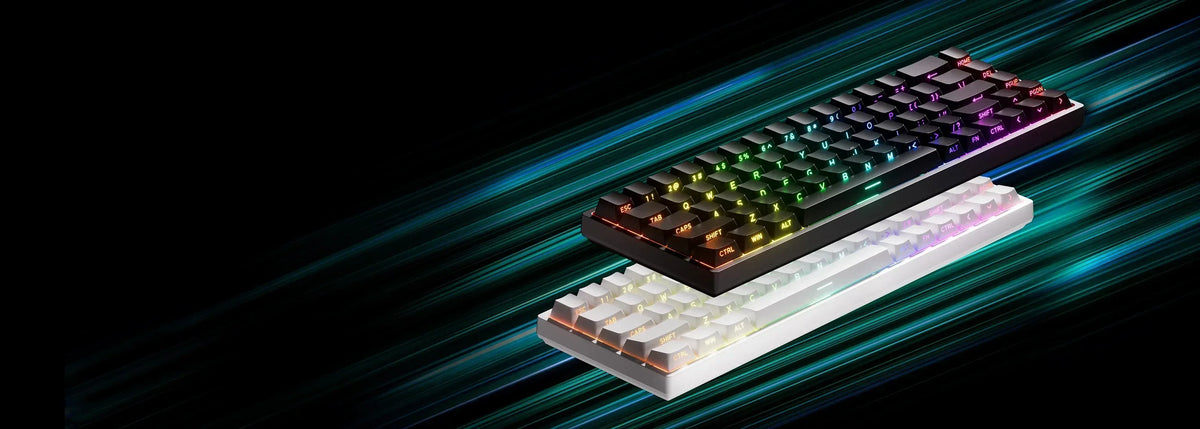
Rapid Trigger - the technology has become so fast that the differences are hard to notice
0.1 mm, 0.01 mm, 8000 Hz polling rate, and promises of nearly lag-free response. Gaming keyboard manufacturers are competing with numbers that would have sounded abstract just a few years ago. One of the technologies behind this revolution is Rapid Trigger, a feature that has changed the way key presses and releases are registered.
And indeed - for gamers, especially those spending hundreds of hours in Counter-Strike 2, Valorant, or osu!, Rapid Trigger can make a difference. It allows you to stop movement faster, change direction more efficiently, and perform subsequent presses without having to fully release the key.
There is a catch, however. Modern keyboards with Rapid Trigger have already reached such low latency levels that the differences between many models are becoming increasingly insignificant. This is confirmed by RTINGS research, which calls into question the point of continuing the race for individual milliseconds.
How exactly does Rapid Trigger work? Why do magnetic keyboards make such good use of this feature? And will buying an increasingly faster model really help you play better?
What is Rapid Trigger?

Rapid Trigger is a technology that enables dynamic key resetting based on its movement, instead of waiting for it to return to a single, fixed reset point.
In a traditional mechanical keyboard, a switch must reach a specific point to register a press. After activation, the key must also be released sufficiently before another press can be registered.
Rapid Trigger changes these rules. Thanks to continuous monitoring of the key position, the keyboard can detect its release after only a slight upward movement. Depending on the implementation, reactivation when the direction of movement changes may also be possible, without having to return to the original position.
What does this provide? Above all, greater control over when a key action starts and ends.
For example, when you release the button responsible for moving left in an FPS game, a keyboard with Rapid Trigger can register its release faster. You do not have to wait for the switch to return to the traditional reset point.
However, it is worth remembering one thing: Rapid Trigger does not make your finger move faster. It allows the keyboard to respond to its movement earlier.
This may seem like a small difference, but it is the foundation of the entire technology.
How does Rapid Trigger work? Comparison with a classic switch
To understand the advantage of Rapid Trigger, you first need to look at how standard mechanical switches work.
Actuation and reset points in a traditional keyboard
Standard mechanical switches have a defined actuation point and reset point.
Imagine a switch with a total travel distance of 4 mm that registers a press at a depth of 2 mm. Once this point is crossed, the computer receives information that the key has been pressed.
For the key to become inactive, it must return to its reset point. Let us assume that it is located 1.5 mm from the resting position.
If you press the switch all the way down and then want to release and press it again, you need to make a sufficiently large movement with your finger.
The values given are examples - actual actuation and reset points depend on the specific switch model.
In many situations, this is not a problem at all. When typing, browsing the web, or playing at a more relaxed pace, the classic mechanism works perfectly well.
The difference becomes important when you perform very fast, repetitive movements or want to control the exact moment of key release as precisely as possible.
Dynamic reset - what does Rapid Trigger change?
A keyboard with Rapid Trigger monitors changes in key position.
Instead of relying solely on a fixed reset point, it can deactivate an active key after detecting a specified upward movement.
Let us assume that you set the reset sensitivity to 0.2 mm. After activating the key, its release can be registered after movement by that distance, provided that the settings, sensor detection range, and safeguards against accidental activations allow it.
You therefore do not have to make the full movement required by a classic switch.
This is particularly useful during quick direction changes, brief stops, and repeated presses of the same key.
It is also important to note that Rapid Trigger does not mean a complete absence of latency. The signal still has to be detected, processed by the keyboard electronics, and transmitted to the computer.
Continuous Rapid Trigger - greater freedom of movement
Not all Rapid Trigger implementations work in the same way.
In some designs, standard Rapid Trigger remains active only within a specified range of key travel. After returning above the initial actuation point, another press requires crossing that point again.
An extension of this function is Continuous Rapid Trigger, also found under names such as Non-stop Rapid Trigger or similar manufacturer-specific terms.
In this mode, dynamic detection of further direction changes can remain active even while the key returns toward its resting position.
This allows you to perform rapid series of presses without having to reach the original actuation point every time.
This is especially important in rhythm games and situations requiring fast, repetitive button presses.
Rapid Trigger and Hall Effect switches - why are magnetic keyboards so popular?
Rapid Trigger requires more than simple pressed-or-released state detection.
The keyboard must be able to determine the key position or changes to it during movement. This is why the technology is most commonly associated with magnetic switches, namely Hall Effect.
How do magnetic switches work?

A Hall Effect switch contains a magnet whose position relative to the sensor changes when the key is pressed.
The sensor detects the change in the magnetic field, and the keyboard electronics use the readings to estimate the switch position.
Unlike traditional contact switches, there is no need to close a mechanical electrical circuit to detect a key press.
This makes it possible to introduce several features:
Adjustable Actuation - an adjustable key actuation point.
Rapid Trigger - dynamic resetting based on movement.
Dynamic Keystrokes - different actions assigned to different stages of pressing or releasing a key.
Analog Input - in supported designs, transmitting information about the degree of key press rather than only an on/off signal.
It is worth noting, however, that not every magnetic keyboard offers an identical set of features. Firmware, software, and the way sensor readings are used all matter greatly.
Does Rapid Trigger work only in magnetic keyboards?
No. Hall Effect is a popular way of implementing Rapid Trigger, but it is not the only one.
Similar capabilities are also offered by selected designs using analog optical switches, TMR (Tunnel Magnetoresistance) sensors, and inductive technologies.
For example, Razer analog optical switches can determine press depth and use this information for Rapid Trigger operation.
The key factor is therefore not the presence of a magnet itself, but the ability to read switch movement with sufficient accuracy and use this data through the keyboard.
You should also not assume that every optical switch supports Rapid Trigger. A regular optical switch operating solely in on/off mode does not automatically provide this feature.
Rapid Trigger, actuation point, and polling rate - three different things
The specifications of modern keyboards can look like a list of records. Actuation adjustment to hundredths of a millimeter, instant reset, 8000 Hz polling rate.
The problem is that not all of these values describe the same thing.
| Technology or parameter | What does it mean? | What does it provide to the user? |
|---|---|---|
| Rapid Trigger | Dynamic reset dependent on key movement | Greater control over releasing and repeating presses |
| Adjustable Actuation | The ability to set the initial actuation point | Adjusting key sensitivity to your needs |
| Polling rate | How often the keyboard communicates with the computer | Potentially shorter intervals between input reports |
| Input latency | Delay between a physical action and an input report | Information about the device's actual response speed in a given measurement method |
Rapid Trigger and adjustable actuation point
An adjustable actuation point determines how deeply you need to press a key for its first activation to occur.
Rapid Trigger, on the other hand, is responsible for how a subsequent release and - depending on the implementation - a repeated press are detected.
You can therefore set the actuation point at a relatively deep level to reduce accidental presses, while still using dynamic reset after crossing it.
This is often more sensible than setting absolutely minimal actuation across the entire keyboard.
1000 Hz vs 8000 Hz polling rate
Polling rate determines how often the keyboard can transmit information to the computer.
At 1000 Hz, the interval between subsequent reporting cycles is 1 ms. At 8000 Hz, it is 0.125 ms.
This means shorter intervals between reports, but they should not be confused with the device's total response time.
An 8000 Hz keyboard is not automatically eight times faster than a 1000 Hz model.
Actual latency is also affected by the frequency of key-position readings, data processing, firmware, USB transmission, and further input handling by the computer.
A well-designed 1000 Hz keyboard can offer excellent responsiveness. Conversely, a high polling rate will not fix a weak sensor implementation or software issues.
0.1 mm, 0.01 mm, and 0.005 mm - is a lower value better?
At first glance, the answer seems obvious. If one keyboard allows you to set sensitivity in 0.1 mm increments and another in 0.01 mm increments, the latter should be more accurate.
Not necessarily.
An RTINGS study published in June 2025, titled Analog Keyboard Specifications Don't Match Measurable Results, showed that declared actuation points do not always correspond to the actual values measured by testing equipment.
For example, during tests of the Wooting 80HE, a 0.1 mm setting corresponded to an average measured actuation point of approximately 0.40 mm. Similar discrepancies, although differing in scale, also occurred in other keyboards included in the study.
This does not automatically mean that a given model is bad. It does show, however, that a number in the software is not a guarantee of identical physical precision.
What is more, very small setting changes may be smaller than the natural variation in measurements between successive presses.
Setting resolution is not the same as actual sensor accuracy.
Therefore, instead of choosing a keyboard solely based on the number of decimal places, it is better to pay attention to consistency, the useful adjustment range, and independent measurements.
Is Rapid Trigger already fast enough? What the RTINGS study showed
This is the most interesting part of the story.
In July 2025, RTINGS published the study A Rapid Trigger Keyboard Could Help You Win... But Any Of Them Will Do.
The editorial team decided to investigate how large the differences are between keyboards equipped with Rapid Trigger and whether the latency of this feature should be treated as a separate, important measurement category.
The conclusions proved surprising.
How did RTINGS test Rapid Trigger?

One of the key parameters was key release latency, meaning the delay between the beginning of key release and the keyboard sending the corresponding USB report.
Researchers prepared an additional experiment that made it possible to measure key-release latency from half of its travel. They used a mechanism driven by a servo motor.
This part of the study compared three designs: Wooting 60HE, Keychron Q1 HE and Geonworks Venom 60 HE.
All three achieved latency below 10 ms.
Importantly, the results of the experimental method were strongly linked to standard key release latency measurements. RTINGS therefore concluded that the existing key release latency measurement can be used to assess the speed of a Rapid Trigger implementation.
The authors noted, however, that the new method was experimental and its values should not be treated as absolutely accurate.
How fast are modern keyboards?
Further analysis of the RTINGS measurement database showed that, after excluding one clearly underperforming model, the tested keyboards with Rapid Trigger achieved release latency ranging from approximately 1 to 18 ms.
The comparison of newer devices was even more interesting.
All Rapid Trigger keyboards tested by RTINGS that were released in 2024–2025 achieved release latency below 10 ms.
An important caveat: these are results for specific devices included in the study, not a guarantee of identical performance from every keyboard available on the market.
RTINGS also identified the Akko MOD007-HE PC model, which achieved a significantly weaker result - 45.7 ms of release latency. The editorial team also pointed out unstable measurements, suggesting possible limitations of the device's firmware or electronics.
This example clearly shows that Rapid Trigger as a feature does not automatically guarantee great performance.
Why are the differences between models becoming less important?

Imagine two keyboards that, under similar conditions, register key release after 4 and 7 ms respectively.
The difference is 3 ms.
It can be demonstrated under specific measurement conditions, but that does not mean a player will be able to consistently recognize the faster model during gameplay. Finger movement, computer performance, the way the game processes input, and image display also affect the final result.
This is precisely why RTINGS concluded that further differentiating small key release latency values contributes less and less to the assessment of modern gaming keyboards.
The editorial team even decided to stop publishing this parameter separately in its reviews, placing greater emphasis on keypress registration latency.
This does not mean that every keyboard is equally fast or that latency has stopped mattering. The conclusion is more specific: among many well-performing models with Rapid Trigger, release latency has become so low that it should not be the main purchasing criterion.
Finger speed still matters
During the RTINGS study, the impact of the physical speed of key release on the measurement result was also examined.
It turned out that increasing the speed of this movement reduced the measured latency.
This is important because even the best sensor will not register a movement that you have not made yet.
With Rapid Trigger keyboards, not only the electronics matter, but also how you operate the keys. Controlled, repeatable movements may be more useful than obsessively searching for further hundredths of a millimeter in the settings.
And this is where the real value of the technology begins: it allows you to make better use of the movement you already make.
In which games does Rapid Trigger really help?
Rapid Trigger does not affect every game in the same way.
It has the greatest potential where quick key releases, precise movement control, or repeatedly performing short presses matter.

Counter-Strike 2 and Valorant - movement control and counter-strafing
In tactical FPS games, the ability to control character movement is hugely important.
When you are moving left and then want to stop quickly and fire an accurate shot, the moments of releasing the button and potentially pressing the opposite direction become crucial.
Rapid Trigger can make it easier to register such changes.
In practice, this means that once you begin releasing the A or D key, the keyboard can transmit information about the end of its activation earlier than a classic switch that must return to a fixed reset point.
This does not mean the character stops instantly, however. The final movement depends on the physics and mechanics of the specific game.
Rapid Trigger also does not perform counter-strafing automatically. You still need to control the keys yourself and choose the right moment to shoot.
The technology can reduce certain delays resulting from switch operation, but it will not replace practicing movement mechanics.
osu! and rhythm games - rapid repeated presses
Rhythm games are one of the most natural applications for Rapid Trigger.
In osu! and similar titles, players often need to perform a sequence of very fast, precisely synchronized presses.
Dynamic reset makes it possible to reduce the range of movement needed to make subsequent inputs. Implementations allowing reactivation without fully releasing the key may be particularly useful.
This does not guarantee improved accuracy, but it provides greater freedom in how fast sequences are performed.


Apex Legends and dynamic action games
In Apex Legends and other games with advanced movement mechanics, Rapid Trigger can help with executing short, consecutive movement commands.
The importance of this feature will depend on the specific technique, key bindings, and game mechanics.
Rapid Trigger alone will not make advanced movements execute automatically. However, it can reduce limitations resulting from the need for a switch to return to a fixed reset point.
What about regular games and everyday work?
If you mainly play strategy games, RPGs, or more relaxed titles, Rapid Trigger will probably not radically change your experience.
The same applies to everyday typing. A magnetic keyboard may be comfortable, well-made, and pleasant to use, but Rapid Trigger itself will not make you type faster.
What is more, excessively sensitive settings can lead to accidental activations.
This is why it is not always worth enabling this feature on every key.
How should you set Rapid Trigger so that it actually helps?
The greatest advantage of modern magnetic keyboards is the ability to tailor their behavior to the user.
However, there is no single set of settings that will be best for every player.
A lot depends on the switch design, your finger movement technique, and how the specific software works.
Start with the actuation point
If you are just starting to use Rapid Trigger, you do not have to set actuation to the minimum level right away.
A sensible starting point for experimentation on movement keys may be around 1.0–1.5 mm, provided that your device's adjustment range allows it.
This is not a universal value recommended for every model, but merely a starting suggestion.
After a few sessions, you can try reducing the actuation depth and see whether you actually control movement better.
If you start activating keys accidentally, return to a deeper setting.
Adjust Rapid Trigger sensitivity
Rapid Trigger sensitivity determines what key movement is required to register a change in its state. Some keyboards allow separate adjustment for releasing and pressing again.
To start with, you can test a threshold of around 0.2–0.4 mm if it is supported by your model.
Then compare it with more aggressive settings.
However, do not assume that the minimum available threshold will always be the best. Excessive sensitivity can cause small, unintended finger movements to affect control.
Is it worth enabling Rapid Trigger only on WASD?
In many cases, yes.
If you primarily play FPS games, a good solution may be to enable Rapid Trigger on movement keys and leave the remaining buttons with standard behavior.
This will allow you to use dynamic reset where it is most useful, without the risk of accidentally activating other functions.
For example:
| Keys | Suggested configuration |
|---|---|
| WASD | Rapid Trigger enabled, adjustable actuation point |
| Space | Rapid Trigger optional, depending on the game and technique |
| Shift and Ctrl | More cautious settings to avoid accidental state changes |
| Ability and inventory keys | Standard or deeper actuation point |
| Typing and work | A separate profile with less aggressive settings |
The most important thing, however, is to test settings during actual gameplay, rather than only watching sliders in an app.
A good configuration is one in which the keyboard responds according to your intentions, not one with the lowest numbers in the specification.
Rapid Trigger vs Snap Tap and SOCD - is it the same technology?
No. Although these features often appear in the same keyboards, they work in completely different ways.
Rapid Trigger changes how the press and release of a single key are detected.
Snap Tap, SOCD, Last Key Priority, and similar features, on the other hand, are responsible for resolving situations in which the user presses opposite directions simultaneously, such as A and D.
In selected SOCD modes, the keyboard can automatically give priority to the last pressed button, even if the earlier one remains physically pressed.
This is already a different kind of intervention in input behavior.
Is Rapid Trigger allowed in Counter-Strike 2?
In its Side-stepping Skill announcement on August 19, 2024, Valve announced restrictions regarding the automation of input commands.
The publisher indicated, among other things, features such as Snap Tap, which can automatically modify how opposite movement commands are performed. Players using prohibited automation may be kicked from matches on official servers.
Rapid Trigger was not identified in this announcement as a prohibited feature. Dynamic key reset itself is not the same as automatically resolving opposite directions.
If you use a magnetic keyboard in CS2, make sure that input-automating features such as SOCD, Snap Tap, or Last Key Priority are disabled.
Before participating in a tournament, it is also worth checking the organizer's current rules. Rules governing the use of hardware features may differ between games and competitions.
Is it worth buying a keyboard with Rapid Trigger?
If you play a lot of dynamic FPS or rhythm games and value control over key behavior, Rapid Trigger is a feature worth considering.
It eliminates some of the limitations of the classic switch reset mechanism and allows for highly detailed configuration.
This does not mean, however, that you need to buy the most expensive magnetic keyboard on the market.
Many current models already offer very good key release latency. Therefore, when making your choice, it is also worth paying attention to other factors: build quality, ergonomics, firmware stability, software convenience, keyboard layout, and connection type.
MonsGeek FUN68 HE - a compact keyboard with Rapid Trigger

MonsGeek FUN68 HE is an example of a gaming-focused design that combines a compact 65% layout with magnetic switches.
The model offers Rapid Trigger, an adjustable actuation point, and a declared 8000 Hz polling rate in its wired version.
It is a proposition for gamers looking for gaming-specific features in a compact design without taking up much desk space.
Keychron K3 HE - Rapid Trigger in a low-profile keyboard

Not everyone needs a heavy, wired design intended exclusively for gaming.
Keychron K3 HE shows a different approach to this technology.
It is a low-profile 75% keyboard with magnetic switches, Rapid Trigger support, and adjustable actuation point settings.
It also offers three connection options: USB-C, 2.4 GHz, and Bluetooth. In wired and 2.4 GHz modes, the manufacturer declares a 1000 Hz polling rate.
The K3 HE may therefore appeal to people who want to use Rapid Trigger while gaming but also value compact.
NuPhy WH80 - Rapid Trigger in a wireless TKL keyboard

NuPhy WH80 is an option for gamers who prefer the 80% (TKL) layout but do not want to limit themselves solely to a wired connection.
The keyboard uses Magnetic Jade Dragon-N magnetic switches and supports Rapid Trigger with adjustable sensitivity. The manufacturer declares that the Rapid Trigger threshold can be set with 0.005 mm precision, although it is worth remembering that configuration resolution is not equivalent to actual operational accuracy.
The WH80 offers a polling rate of up to 8000 Hz both via USB-C and in 2.4 GHz wireless mode. Bluetooth connectivity, programmable key functions, and a gasket-mount design are also available to the user.
It is an interesting example of a keyboard combining extensive gaming capabilities with the convenience of wireless use. Especially for people who want to use Rapid Trigger while also appreciating the TKL layout and the ability to work without a cable.
The choice between these models should not come down solely to comparing polling rate values. What matters more is which layout, operating characteristics, and feature set best suit your needs.
You can find more models in the magnetic keyboards category on Shelter.shop
Rapid Trigger - frequently asked questions (FAQ)
Does Rapid Trigger really provide an advantage in games?
It can help register key releases and repeated presses faster. It is especially useful in dynamic FPS and rhythm games. However, it does not guarantee better results - these depend primarily on player skill and game mechanics.
Does Rapid Trigger work in a regular mechanical keyboard?
Standard mechanical switches that operate on the principle of a simple electrical contact do not allow for a classic Rapid Trigger implementation based on continuous monitoring of key position. Such operation requires suitable detection technology and supporting software.
Does every Hall Effect keyboard have Rapid Trigger?
You should not assume this. Hall Effect switches make it possible to measure key position, but Rapid Trigger availability also depends on the electronics, firmware, and features made available by the manufacturer.
Does Rapid Trigger increase FPS?
No. Rapid Trigger concerns how keyboard input is registered, not graphics rendering performance. It does not increase the number of frames generated by the computer.
Is a 0.01 mm setting better than 0.1 mm?
Not necessarily. A smaller setting increment provides more detailed adjustment in software, but it does not guarantee the same level of actual sensor accuracy. Independent RTINGS measurements have shown that declared values may differ from physical actuation points.
Can Rapid Trigger be a hindrance?
Yes, if you set the sensitivity too high. Small, unintended finger movements can then cause a key to be released or reactivated. This is why it is worth choosing settings individually and using separate profiles for gaming and everyday work.
Is Rapid Trigger the same as Snap Tap?
No. Rapid Trigger is responsible for dynamically detecting the movement of a single key, while Snap Tap and similar SOCD features determine how simultaneous presses of opposite directions are handled.
Summary - is the race for milliseconds still worthwhile?
Rapid Trigger is one of the most important technologies to appear in gaming keyboards in recent years. It has changed how input is registered, allowing players to control the moment of key activation and release much more freely.
Research shows, however, that modern implementations have already reached a very high level of performance. In many cases, latency differences between well-performing models are so small that continuing to chase individual milliseconds does not necessarily translate into a noticeable gameplay benefit.
This does not mean that Rapid Trigger has lost its significance. On the contrary - its fundamental operating mechanism remains its greatest advantage.
Therefore, rather than looking for a keyboard that is another 0.01 mm faster on paper or offers an even higher polling rate, it is worth paying attention to the quality of the entire design and the ability to adapt it to your own gaming style.
Because ultimately, the best keyboard is not the one with the most record-breaking numbers in its specifications. It is the one that lets you control what happens on screen with the greatest confidence.


Share:
Evercade Nexus - What is the New Console and Who is it Created for?
NuPhy WH80 - Wireless 8000 Hz Keyboard