

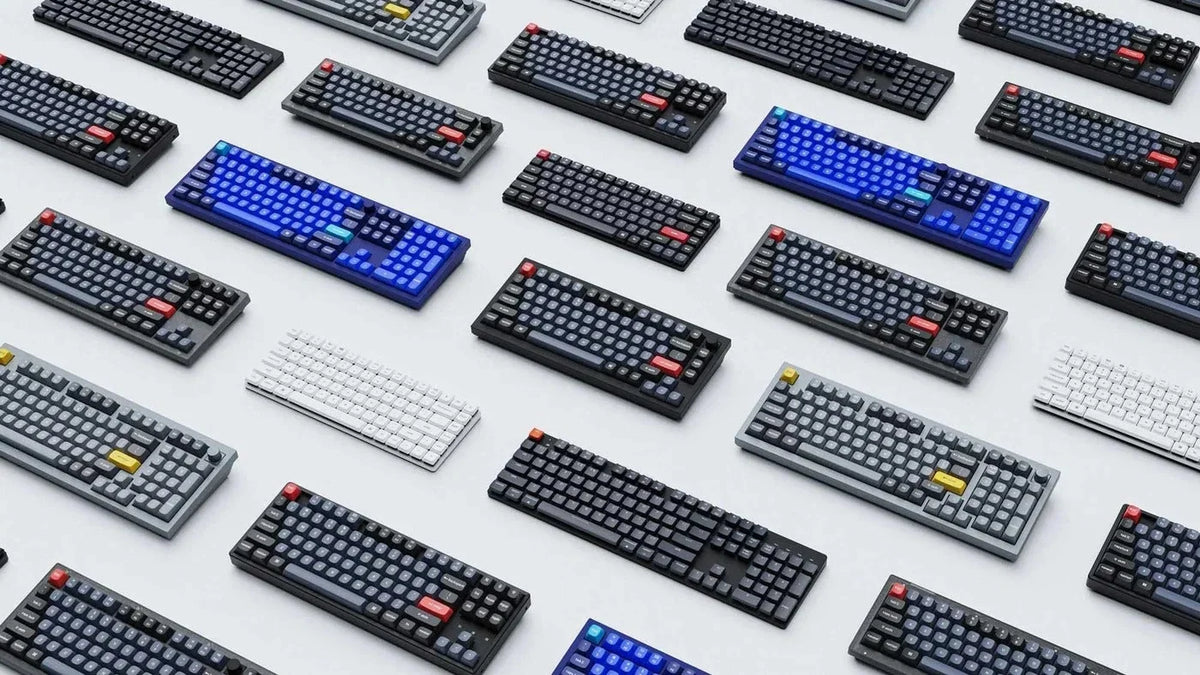
Q Ultra, V Ultra and K Ultra are primarily new series of classic mechanical keyboards, using ZMK firmware, 2.4 GHz, Bluetooth and USB connectivity, as well as a polling rate of up to 8000 Hz in 2.4 GHz and wired modes.
HE takes a different direction. Instead of classic mechanical switches, it uses Hall Effect magnetic switches, enabling features such as an adjustable actuation point and Rapid Trigger.
That is why the most important question is: “What do you expect from a keyboard?”, rather than “Which series is best?”.
| Series | Switches | Construction | Connectivity | Max. polling rate | Key feature |
|---|---|---|---|---|---|
| Q Ultra | mechanical | CNC aluminium | 2.4 GHz / Bluetooth / USB | 8000 Hz | most advanced construction |
| V Ultra | mechanical | plastic | 2.4 GHz / Bluetooth / USB | 8000 Hz | Ultra features at a lower price |
| K Ultra | mechanical | slim construction, wood + metal in low-profile models | 2.4 GHz / Bluetooth / USB | 8000 Hz | low profile and portability |
| HE | magnetic | depends on the model | depends on the model | 1000 or 8000 Hz | Rapid Trigger and adjustable actuation |
In the current Q Ultra and V Ultra series, Keychron combines ZMK with three-mode connectivity and an 8000 Hz polling rate via USB and 2.4 GHz. The K Ultra platform works the same way. The HE series, on the other hand, is not one identical platform - available models differ in both construction and connectivity, as well as maximum polling rate.
What does Ultra actually mean in the new Keychron keyboards?

Ultra does not mean one specific case type or size.
The common denominator of the Q Ultra, V Ultra and K Ultra series is primarily a new electronic platform.
We get a polling rate of up to 8000 Hz via 2.4 GHz and USB, ZMK firmware, configuration through the Keychron Launcher web app, and classic mechanical switches. The individual series differ in construction, profile, materials and price.
Important: 8000 Hz does not automatically mean that every Ultra will be a better choice than an HE model.
Ultra develops the classic mechanical keyboard. HE changes how a keypress is detected.
And that is the key difference between these two branches.
Keychron Q Ultra - aluminium, 8K and premium construction
If the V series is a sensible entry into the world of more custom-oriented Keychron keyboards, Q has long been its more advanced alternative.
In the Q Ultra series, the manufacturer has maintained this direction.
At Shelter, you will find, among others, the Keychron Q1 Ultra 8K in a 75% layout, the Q3 Ultra 8K in TKL format, and the full-size Q6 Ultra 8K. All three models use CNC aluminium cases, mechanical Keychron Silk POM switches, and a design focused on both customisation options and typing comfort.

Q1 Ultra 8K - compact 75%
Q1 Ultra will be the most natural choice for someone who wants to retain the function key row and arrow keys while reducing the keyboard's width.
It features a 75% layout, a full CNC aluminium case, a double-gasket design, hot-swap support and mechanical Silk POM switches. It also includes 2.4 GHz, Bluetooth 5.3 and USB-C.
In 2.4 GHz mode and when connected by cable, Q1 Ultra supports a polling rate of up to 8000 Hz. The manufacturer also declares up to 660 hours of wireless operation with the backlighting switched off.
It is one of the most versatile designs in this series: compact, but not so compact that everyday work requires constant use of key combinations.
Q3 Ultra 8K - classic TKL
If the numpad is unnecessary but you do not want to give up a classic navigation key layout, the Q3 Ultra in TKL format will be a natural step up.
In terms of platform, it remains very similar to Q1 Ultra: CNC aluminium, Silk POM, ZMK, three-mode connectivity and 8K via 2.4 GHz or USB.
The biggest difference is simply the layout.


Q6 Ultra 8K - full size without compromising on key count
For those who regularly use a numpad, there is the Q6 Ultra 8K.
It is a full-size 100% Keychron retaining the features of the Q Ultra platform: CNC aluminium, hot-swap, ZMK, 2.4 GHz, Bluetooth and USB, as well as a polling rate of up to 8000 Hz.
In exchange for a complete set of keys, you naturally have to accept a larger keyboard on your desk.
If you spend most of your time in Excel, financial applications, or simply use a numpad regularly, this is a sensible compromise. If your numpad is mainly there to collect dust, Q1 or Q3 will leave more room for your mouse.
Keychron V Ultra - similar technology, lower entry point
On paper, the V Ultra series is very close to Q Ultra.
We have ZMK, 2.4 GHz, Bluetooth and USB-C connectivity, a polling rate of up to 8000 Hz, hot-swap, Keychron Silk POM switches and configuration through Launcher.
The difference appears primarily in the construction. V Ultra models use plastic cases, while Q Ultra opts for heavy CNC aluminium. The V1 Ultra and V3 Ultra, for example, also use a polycarbonate plate and a Gasket mount design.
This is important because V Ultra is not a “slower Q Ultra”.
In terms of maximum polling rate, both families offer 8000 Hz via 2.4 GHz and cable. The extra cost for Q largely concerns the construction, materials, weight and character of the keyboard, rather than moving from 1K to 8K.

V1 Ultra - 75% without the Q1 aluminium price
Keychron V1 Ultra 8K is one of the clearest examples of this philosophy.
It offers a 75% layout, ZMK, 2.4 GHz, Bluetooth 5.3, USB-C, hot-swap and up to 8000 Hz. However, the case is made of plastic, and instead of the construction characteristic of the Q series, we get a more budget-oriented approach.
If features are your priority and you do not need a heavy block of aluminium on your desk, V1 Ultra may be a far more rational choice than Q1 Ultra.
V3, V5 and V6 Ultra - simply choose the right size
The series does not end at 75%.
V3 Ultra is TKL, V5 Ultra offers a compact 96% layout, while V6 Ultra retains a full-size 100% layout. Shelter's current lineup also includes the V10 Ultra, an ergonomic 75% Alice layout.
As a result, V Ultra is currently one of Keychron's most flexible series.
Want 75%? V1.
TKL? V3.
Need a numpad but want to limit the width? V5.
Full size? V6.
Ergonomic Alice? V10.
The technological foundation remains very similar, so the decision can be based primarily on the layout.

Keychron K Ultra - when low profile matters
The low-profile K1 Ultra, K3 Ultra and K5 Ultra models are particularly interesting.
This is a series for users who want the capabilities of the new Ultra models but do not necessarily need a tall, heavy Q-style construction.
K1 Ultra is a TKL model, K3 Ultra has a 75% layout, and K5 Ultra retains a full-size numpad. The models use low-profile Keychron Milk POM switches and LSA double-shot PBT Keycaps.
Like Q and V Ultra, they offer ZMK, Bluetooth, 2.4 GHz and USB, as well as a polling rate of up to 8000 Hz in 2.4 GHz and wired modes.

K1 Ultra - TKL for work and gaming
K1 Ultra retains a classic TKL layout, but does so in a much slimmer form than Q3 or V3.
The version available at Shelter uses low-profile Milk POM switches, a frame combining metal with wooden accents, and a 2600 mAh battery. The manufacturer declares up to 490 hours of operation at 8K with the backlighting switched off.
It is an interesting choice, especially for those accustomed to lower laptop keyboards who want to move to a mechanical keyboard without placing a small tower block on their desk.
K3 Ultra - 75% i low profile
K3 Ultra 8K goes one step further towards a compact setup.
The 75% format retains arrow keys and the F-row while taking up less space than TKL. The keyboard uses Milk POM switches and supports hot-swap within a compatible low-profile switch system.
It offers 8000 Hz via 2.4 GHz and USB, as well as up to 550 hours of declared operation with the backlighting switched off.
If you are looking for one keyboard for a MacBook, PC, work and occasional gaming, K3 Ultra is one of the most versatile representatives of the series.


K5 Ultra - low profile without giving up the numpad
K5 Ultra brings a similar design to those who need a full layout.
It is a full-size low-profile keyboard with Milk POM switches, ZMK, three connectivity modes and 8K via 2.4 GHz and cable. In this model, the manufacturer declares up to 370 hours of operation at 8K with the backlighting switched off.
It also demonstrates an important point: you should not assume that every Ultra has the same battery or operating time. Differences occur even within the same family.
Keychron HE - this is where the switches change above all
Ultra series still use mechanical switches.
HE models, on the other hand, use magnetic switches employing the Hall Effect. This allows the keyboard to measure the position of a switch as it moves, rather than waiting only for it to reach one fixed electrical point.
This opens the door to features that a classic mechanical keyboard does not offer in the same way.
The most important are an adjustable actuation point and Rapid Trigger.
Depending on the model, these can be joined by Dynamic Keystrokes (assigning several different actions to one key depending on how deeply you press it), analogue mode, and key-priority features such as LKP or Snap Click. For example, K3 HE allows you to adjust the actuation point within a range of 0.2–2.9 mm and supports Dynamic Rapid Trigger.
And that is exactly why HE is aimed primarily at gamers who want influence not only over which key they press, but also how the keyboard interprets its movement.

Keychron K2 HE - 75% i classic profile
One of the most distinctive models is the Keychron K2 HE.
It is a wireless 75% keyboard equipped with magnetic Gateron Double-Rail switches. It offers 2.4 GHz, Bluetooth and USB, a 1000 Hz polling rate in 2.4 GHz and wired modes, and an adjustable actuation point.
Shelter also offers more unusual K2 HE variants, including the Concrete Edition with a case using a concrete composite. Technologically, it remains a K2 HE with magnetic switches, but in terms of construction, it is definitely not another black rectangle on your desk.
Keychron K3 HE - Hall Effect in a low profile
If the K2 HE concept sounds good but you prefer a low profile, there is the K3 HE.
It is a low-profile 75% model with magnetic Keychron Ultra-Fast Lime Low-Profile switches.
It supports Rapid Trigger, an adjustable actuation point, Dynamic Keystrokes and analogue mode. It also has 2.4 GHz, Bluetooth and USB connectivity. The maximum polling rate in 2.4 GHz and wired modes is 1000 Hz.
And this is where a very important comparison appears.
K3 Ultra has 8000 Hz and classic mechanical switches. K3 HE has 1000 Hz, but magnetic switches and Rapid Trigger.
Which is better for gaming?
It depends on the game and your priorities. A higher number next to “Hz” alone does not answer the whole question.


Q1 HE - Hall Effect in an aluminium construction
HE does not automatically mean a lightweight gaming keyboard either.
Q1 HE combines Gateron magnetic switches with the aluminium case characteristic of the Q series. It is a 75% model with 2.4 GHz, Bluetooth and USB connectivity, as well as a 1000 Hz polling rate in wired and 2.4 GHz modes.
It is an interesting option for someone who wants Hall Effect features but still values a heavy, custom-oriented construction.
Q3 HE 8K - magnetic switches and 8000 Hz together
Models such as Q3 HE 8K and Q6 HE 8K have yet another character.
Here, Keychron combines magnetic switches with a polling rate of up to 8000 Hz. However, there is an important catch: Q HE 8K models are wired.
For example, Q6 HE 8K uses Keychron Ultra-fast Lime Magnetic switches, allows the actuation point to be set within a range of 0.1-3.35 mm, and offers Rapid Trigger and Dynamic Keystrokes. The maximum polling rate is 8000 Hz.
If gaming is the priority and wireless connectivity is not important to you, this HE branch comes closest to combining two worlds: 8K + Hall Effect.

This is probably the simplest comparison.
Q Ultra is chosen primarily for its construction. A CNC aluminium case is heavier, more rigid and creates a completely different feel on the desk.
V Ultra retains the key elements of the new platform - ZMK, three connection modes, 8K, hot-swap and Silk POM switches - but uses a plastic case.
If you care mainly about features, V Ultra is a very strong candidate.
If you also want a premium construction and a heavy aluminium case, then paying extra for Q Ultra starts to make sense.
Here, the choice is more ergonomic than technological.
V Ultra uses classic, full-size mechanical switches and a taller construction.
K1, K3 and K5 Ultra, on the other hand, use low-profile Milk POM switches and slimmer LSA Keycaps.
If you like classic mechanical keyboards, longer travel and a wide selection of switches, start with V.
If you are moving from a laptop, often carry your keyboard around, or simply dislike tall constructions, K Ultra may be much more comfortable.
There is no single answer.
Ultra gives you a very high 8000 Hz polling rate, but remains a classic mechanical keyboard.
HE allows you to electronically control the actuation point and switch reset, allowing you to use Rapid Trigger, among other features.
For someone who plays casually across several different genres, Ultra may be a more versatile solution, especially if the same keyboard is also intended for work.
However, if you play FPS games a lot and are deliberately looking for Rapid Trigger or a very shallow actuation point, HE offers features that 8K polling rate alone cannot replace.
It is also worth remembering that not all HE models have 8K. K2 HE, K3 HE and the wireless Q1 HE operate at up to 1000 Hz via 2.4 GHz and USB, whereas the wired Q3 HE 8K and Q6 HE 8K reach 8000 Hz.
Comparison of 75% models - the best way to show the differences between series
If we limit the choice to a similar size, the entire catalogue becomes much easier to understand.
| Model | Switch type | Profile | Case | Connectivity | Max. polling rate | Key argument |
|---|---|---|---|---|---|---|
| Q1 Ultra | mechanical | standard | CNC aluminium | 2.4 / BT / USB | 8000 Hz | premium construction |
| V1 Ultra | mechanical | standard | plastic | 2.4 / BT / USB | 8000 Hz | best balance of features and price |
| K3 Ultra | mechanical | low | metal/wood + plastic | 2.4 / BT / USB | 8000 Hz | slimness and portability |
| K2 HE | magnetic | standard | depends on the variant | 2.4 / BT / USB | 1000 Hz | Rapid Trigger |
| K3 HE | magnetic | low | metal/wood + plastic | 2.4 / BT / USB | 1000 Hz | low-profile + Hall Effect |
And suddenly it turns out that these series do not compete directly with each other at all.
Q1 Ultra is for someone who wants a heavy aluminium keyboard.
V1 Ultra is for someone looking for similar features in a more affordable construction.
K3 Ultra is for a low-profile enthusiast.
K2 HE and K3 HE are for users who want magnetic features.
Which Keychron series should you choose?

Q Ultra - if construction is just as important as specifications
Choose Q Ultra if you want CNC aluminium, substantial weight, a Gasket design and classic mechanical switches, while also caring about the new ZMK platform and wireless 8K.
At Shelter, it is worth starting with the Q1 Ultra 75%, Q3 Ultra TKL or Q6 Ultra 100%.
V Ultra - if features matter more to you than aluminium
V Ultra offers a very similar electronic platform to Q Ultra, but in a plastic case.
If you do not need nearly two kilograms of aluminium, it is not an “inferior Q”. It is simply a more pragmatic choice.
Your options include the V1, V3, V5, V6 and the ergonomic V10 Ultra.


K Ultra - if you want a slim mechanical keyboard
K Ultra is worth considering if a tall mechanical keyboard simply does not suit you.
K1 Ultra offers TKL, K3 Ultra a compact 75% layout, and K5 Ultra a full layout with a numpad.
All retain the low-profile construction and features of the new Ultra platform.
HE - if you want to control switch behaviour
Choose HE, when Rapid Trigger, an adjustable actuation point or Dynamic Keystrokes matter more than simply having a classic mechanical switch.
K2 HE and K3 HE are more versatile thanks to wireless connectivity.
Q HE allows you to combine Hall Effect with a heavy aluminium construction.
And Q HE 8K is an option for those who want both magnetic switches and 8000 Hz and do not mind a wired connection.

Then decide on the construction.
Q Ultra - aluminium and the most advanced build.
V Ultra - similar features in a more affordable construction.
K Ultra - low profile and a slimmer setup.
If, however, your main priority is Rapid Trigger, an adjustable actuation point and gaming features resulting from measuring switch position, start with HE.
Only then should you choose a specific size.
Because Q6 Ultra will not become a better keyboard than V1 Ultra simply because it costs more. K3 Ultra will not replace K3 HE. If you are buying a keyboard specifically for Rapid Trigger. And Q3 HE 8K will not be the best choice if you absolutely do not want a cable.
With Keychron, the best series is simply the one whose compromises suit your setup.


Share:
Key Terms Explained: A Beginner's Guide to Custom Keyboards