

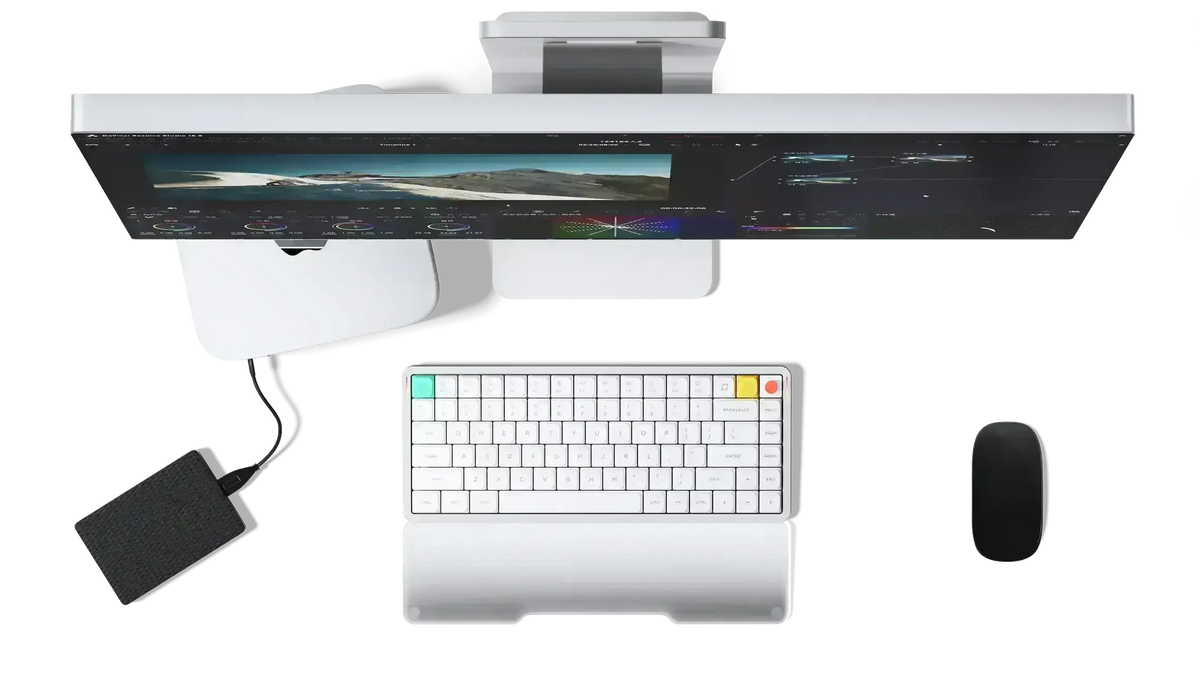
Bluetooth vs 2.4 GHz - why does the keyboard have 1000 Hz, but only 125 Hz via Bluetooth?
You buy a wireless keyboard, see 1000 Hz in the specifications, but after switching to Bluetooth, the frequency drops to 125 Hz. Does this mean the device suddenly works eight times slower? Not necessarily. Bluetooth and a 2.4 GHz connection with a USB receiver have different priorities. One focuses primarily on convenience and energy efficiency, while the other can provide faster keystroke reporting.
1000 Hz vs 125 Hz - what do these numbers actually mean?
Polling rate determines how often a keyboard can transmit information about key presses to the computer.
1000 Hz - reporting every 1 millisecond.
125 Hz - reporting every 8 milliseconds.
The difference in frequency is eightfold, but this does not mean that the entire keyboard responds eight times faster. Actual latency is also affected by the switches, electronics, firmware, and the way it communicates with the computer.
In everyday typing, the difference may be virtually unnoticeable. In fast-paced games, where precise timing of reactions matters, lower latency may be more important.
Why is Bluetooth usually slower than 2.4 GHz?
Let's start with an interesting fact: Bluetooth also uses the 2.4 GHz band. So why can a keyboard achieve different results in both modes?
It all comes down to the method of communication.
Bluetooth - convenience and energy saving
Bluetooth was designed with versatility in mind. It allows you to connect a keyboard without an additional receiver, often to several paired devices at once, and easily switch between them.
In typical keyboards, Bluetooth communication is configured to reduce power consumption rather than maximize the polling rate. That is why many models offer 125 Hz in this mode.
However, this is not a fixed limitation of Bluetooth technology – the performance achieved depends on the specific implementation.
2.4 GHz - speed as a priority
A dedicated USB receiver allows the manufacturer to use its own communication method, optimized for low latency.
This allows gaming keyboards to offer 1000 Hz, and some models even 8000 Hz, without the need to connect a cable.
However, this does not mean that every 2.4 GHz receiver automatically delivers better results. Much depends on the quality of the keyboard's electronics and software.
Bluetooth or 2.4 GHz - which should you choose?
It all depends on how you use your keyboard.
| Bluetooth | 2.4 GHz with USB receiver |
|---|---|
| Typing, work, and studying | Games requiring fast reactions |
| Connecting to a laptop and tablet | Cable-free gaming |
| Convenient device switching | Priority on low latency |
| No receiver required | Dedicated communication with the computer |
If you mainly type, browse the internet, or work with documents, Bluetooth will usually be more than sufficient. If you play fast-paced FPS games and want the lowest possible latency, it is worth choosing a 2.4 GHz connection.
One keyboard, two speeds - the example of NuPhy Air75 V3

A good example is the NuPhy Air75 V3, a low-profile mechanical keyboard supporting three connection modes.
According to the manufacturer's specifications, it offers:
• 1000 Hz via USB-C,
• 1000 Hz via a 2.4 GHz receiver,
• 125 Hz via Bluetooth.
It is the same keyboard, with the same switches and the same electronics. Only the method of communication with the computer changes.
This lets you use Bluetooth while working, then switch to the 2.4 GHz receiver before launching your favorite game.
Is 125 Hz via Bluetooth a problem?
For most people - no. When writing messages, programming, or doing office work, 125 Hz usually provides sufficient responsiveness.
However, in competitive games, it is worth using a connection with lower latency.
The key takeaway? A higher polling rate does not automatically mean a better keyboard. Bluetooth offers convenience, while dedicated 2.4 GHz allows for higher responsiveness. It is good to have a choice and use both modes when you actually need them.


Distribuie:
HOTO SNAPBLOQ - What Can These Modular Tools Do?